 Claude
PowerPoint add-in
For everyone who builds slides in PowerPoint every day.
- Charts, elements and power tools in the ribbon
- Create, change and polish slides with AI in your master
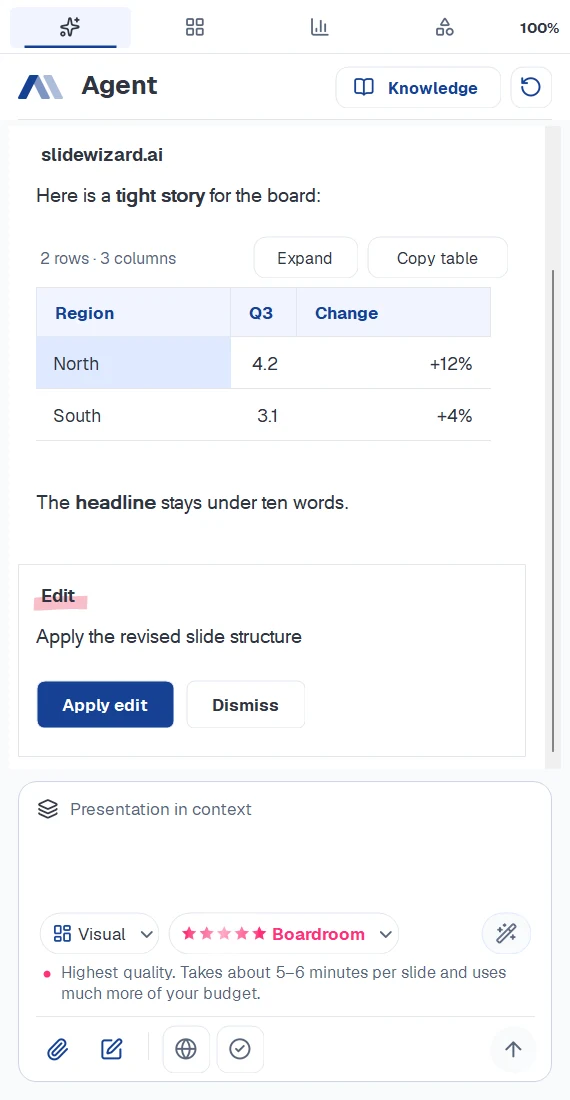
- The agent builds whole decks in the sidebar

 Certified to ISO/IEC 27001:2022 slidewizard.ai GmbH, certificate no. 31638374 ISMS22
Waterfall with CAGR and 176 elements for free. Plus an AI that builds complete slides in your corporate master, from real PowerPoint shapes.
Used at
One add-in
Charts, elements and AI work from the same setup, your templates and your colours, so you never switch between tools. The tools are free, the AI-Slide-Engine starts at €19.90 a month.
What’s inside
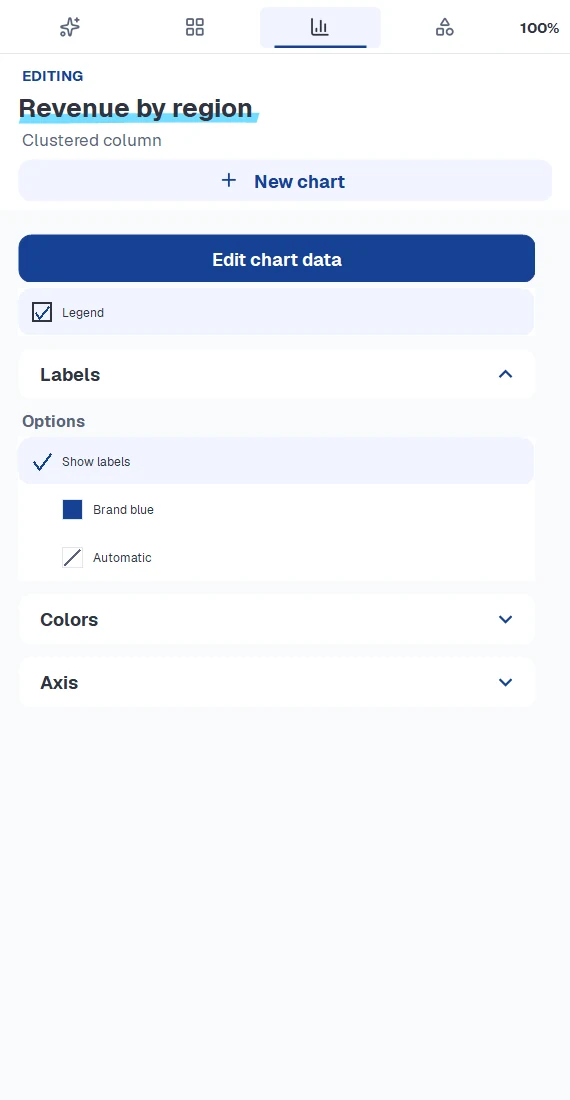
Waterfall bridges with CAGR and every standard chart, in your colours and edited right in the chart.
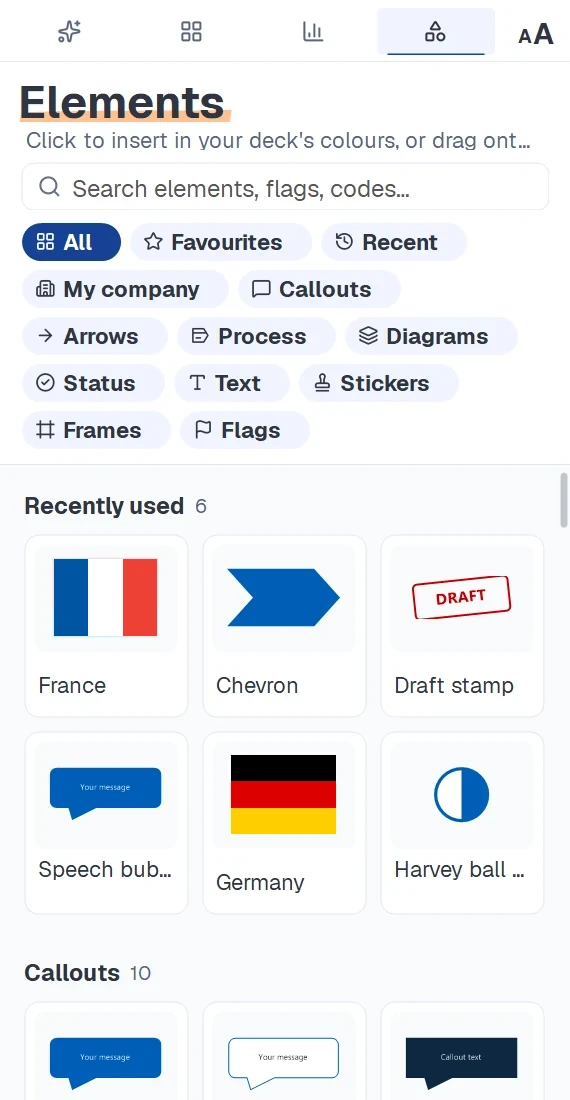
More on charts176 elements and 256 flags in your colours, icons, your own company elements and tools to align and arrange everything.
More on power tools From €19.90
Designs single slides and whole decks, changes exactly what you describe and tidies up finished slides. Always native PowerPoint in your master.
More on the AIMasters, colours and CI rules set up once per organisation. Everyone on the team and the AI work from the same company setup.
More on EnterpriseInside PowerPoint
01 · Setup
Pick the layout, mark the content area and map your colours. Your team then works from the same setup for the same master.
02 · Charts
Arrows that carry the key message, handles right in the chart and a data sheet for the numbers. In your colours and free.
03 · Power tools
Chevrons, timelines, Harvey balls, traffic lights, 256 flags, icons and your own company elements. Aligning and distributing takes one click.
04 · AI
A sentence, a sketch or a photo is enough to start. The AI turns it into real shapes, text and charts in your master and reworks them whenever you ask.
05 · Agent
The agent researches the web, reads your files, proposes the storyline and builds the slides. You decide what changes.
AI-Slide-Engine
Each slide is built object by object from real PowerPoint shapes inside your master, never as a picture. Switch on the shapes and see for yourself.
This is how the slide arrives in your deck: every object is listed in the Selection Pane and can be selected, hidden and edited by anyone who opens the file.
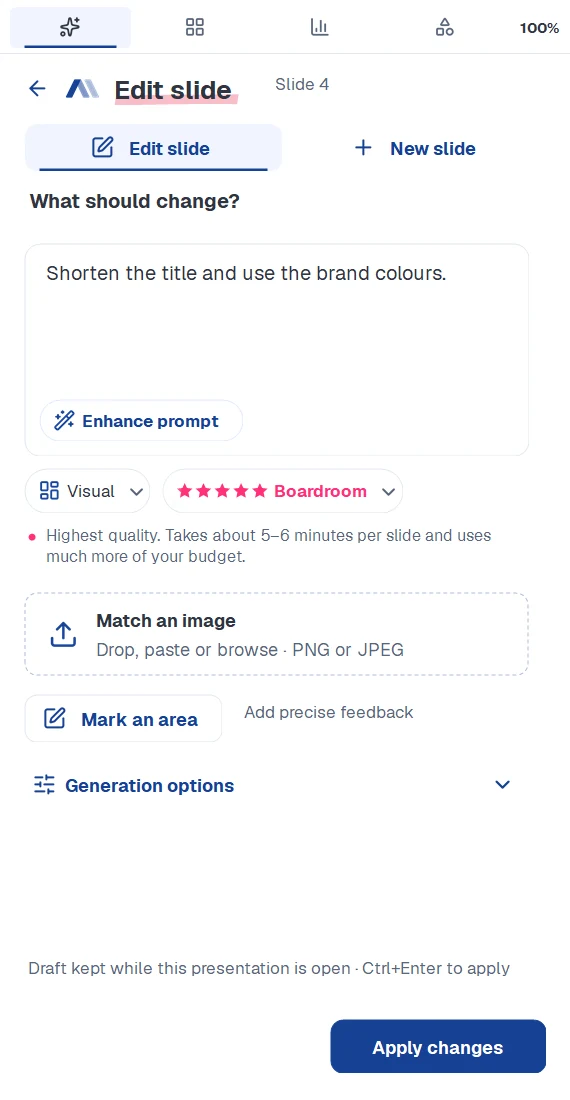
Describe the change or mark an area. The rest of the slide stays as it is, and everything remains native PowerPoint in your master.
Here: a shorter title and Q3 highlighted in the chart. The rest of the slide stays as it was.
Quality and style
Two modes: Fast for first ideas and quick iterations, Quality for refined slides up to the board pack. Plus eight styles, from visual to strategy consulting.
One sentence becomes a complete slide, built from scratch.
Changes what you describe, even within a marked area. Polishing then lines everything up.
A screenshot or whiteboard photo becomes an editable slide.
Turns a short idea into a precise slide brief.
Quality mode
Our most capable setup for refined slides.
Uses more budget, worth it where the slide has to convince. For example: the decision paper for the executive board.
A board reads differently from a workshop audience. Here are the same facts, built to suit each style.
One message, one strong graphic, few words. The default.
Charts Free
From the revenue bridge with CAGR to the market share doughnut, right in PowerPoint and in your colours. You edit them right in the chart, with handles, a small toolbar and the data sheet. Drag the pink handle to try it.
10 chart types, all in your colours.
See all chartsDrag the pink handle to another start year.
Add-in, web app and chat assistant
Your presentations, your setup and your company style are there wherever you work.
For everyone who builds slides in PowerPoint every day.
In the browser, without installation, on a Mac too.
For everyone who already thinks their topics through with Claude or ChatGPT.
Enterprise
Your master sets the rules, and you can see where the budget goes. As an Enterprise plan from €9.90 per user or as a rollout we set up with you.
One setup per master, shared with the whole team.
Its own setup for each brand and business unit.
Extra budget per member and a clear usage overview.
Hosted in Europe, certified to ISO/IEC 27001.
Pricing
Charts, elements and tools for every day
FreeWith the AI-Slide-Engine
From €19.90 a monthMore AI budget for power users
From €49.90 a monthMonthly prices with annual billing, plus VAT. Teams get a plan per person with the Enterprise plans from €9.90 per user.
FAQ
Yes. You set up a presentation once: layout, content area, colours and corners. slidewizard builds every slide inside that frame, and your team can reuse the setup for the same master.
On your own, charts and power tools are free: that is the Power Tools Suite. The AI features (create, edit, polish, agent and more) come with AI Suite for €19.90 or AI Suite Max for €49.90 a month, each with a monthly AI budget. Teams use the Enterprise plans from €9.90 per user. All prices are monthly prices with annual billing, plus VAT.
Yes. Everything is native PowerPoint: shapes, text and charts stay editable for anyone. The free add-in adds the comfortable chart editing and power tools.
The add-in runs in PowerPoint for Windows. Mac support is in the works. Until then the web app works in any modern browser. In Claude you use slidewizard wherever Claude runs.
Yes. You connect Claude to your slidewizard account once. After that you plan the outline in the chat, have slides created and changed, and watch them take shape. With the add-in, Claude works right in the presentation you have open in PowerPoint. The guide shows the steps.
Data only flows once you have connected Claude and ask it for something. Claude then sends slidewizard what the request needs, and gets back the result, for example the outline, a slide or passages from the documents of a presentation. slidewizard stores your presentations and slides in your account, just as it does when you work in the web app. If you disconnect, Claude loses access to your account. More in the privacy policy.
Each AI plan includes a monthly AI budget, shown as a percentage in the add-in and the web app. The Fast mode is lighter on it. The usage overview shows exactly where it went.
We process your content only to create and edit your slides. We are certified to ISO/IEC 27001 by DQS. Details are on the security page.
Create your free account. After signing in you download the free add-in for PowerPoint on Windows or start in the web app. Installation takes a minute and needs no admin rights.
Your account and the add-in are free. The AI-Slide-Engine is there when a deadline gets tight.